Build your own AI visibility tracker, now.
Newsletter By Stefan Maritz11 min read
Your playbook to build a free, open-source LLM tracker and save thousands of Dollars a year on AI monitoring tools.
This is a special addition in collaboration with The Workflow and Sara Stella Lattanzio
Original link - show some support and subscribe:
https://www.theworkflow.digital/p/build-your-own-ai-visibility-tracker?triedRedirect=true
Welcome to The Workflow, where we simply don’t understand why the AEO and GEO gold rush has produced roughly forty new “AI visibility” vendors in the last eighteen months, most of them charging enterprise prices for a dashboard that tells you nothing more than “ChatGPT mentioned your company.”
This guest issue is written by me, Stefan Maritz.
I am currently the Principal GTM Engineer at Backbase, a high-growth Dutch FinTech unicorn. On the side, I consult companies on brand, content, and AI implementation.
If I had to sum that up in a sentence, I would say I build solutions for problems.
Case in point: at Backbase, we built our own AI monitoring tool to track brand accuracy. The usual share of voice and mention rate metrics you get out of the box simply weren’t enough for us.
No tool out there, regardless of the price tag, had the answer. We were winning the AI visibility game before it even started.
22 years of brand equity and industry leadership put us so far ahead of our competitors that we will be writing content for humanoid robots by the time they actually catch up. ChatGPT recommends us, mentions us, and cites us in (almost) every query we truly care about.
But there was a huge problem: what it said about us was wrong or outdated.
So, I took the narrative into my own hands.
Today, I’ll share how I did it, and leave you with a playbook to set up your own AI visibility tracker and customize it to help your brand win the AI search game.
Let’s dive in.
What you’ll learn
- How LLM trackers work under the hood, and why it’s relatively easy to build one yourself
- How to clone and run an open-source LLM tracker using a free Supabase account, a free Vercel account, and roughly $10 in API credits
- How to set it up to monitor your brand’s mention rate, citation rate, share of voice, and average position in AI search
- How to schedule automated weekly runs on Vercel so you always know where your brand stands in AI search, and can act on it
What triggered The Workflow
We had fancy and expensive LLM trackers, but we still had a huge problem. We had just come out of a strategic pivot and had to fix 22 years of legacy positioning for a brand that has no shortage of strong mentions and citations, from names like Gartner, Microsoft, Google, McKinsey, and the most prominent finance publications.
This is something most brands would die for, but for us the biggest headache was the outdated messaging the models kept spreading. I needed to know exactly which links and mentions on the internet needed fixing. None of the tools we had could do that out of the box, so I built one myself.
How did I know the messaging AI tools were spreading was inaccurate?
I had been tracking LLM mentions before the first AI visibility tool made it to market.
I ran a curated set of 250 prompts against Claude, ChatGPT, Grok, Google AI snippets, Google AI mode, Gemini, and Perplexity, and scraped every cited link. I benchmarked it against our value proposition and checked consistency with our new positioning. Most third-party links were inaccurate.
What nobody tells you, and no vendor will:
There is NO native AI visibility reporting. AI tools don’t pass you that information. The only way to know if you got mentioned or cited is to run the prompt yourself, whether manually, one by one, or in bulk using APIs, which is pretty much what the big vendors offer.
I’m aware of this, and I'm pretty handy with Claude Code, so I wired up a simple workflow that runs the prompts, saves each model's response to a database, and deterministically (using code, matching, and math) determines whether the brand was mentioned or cited. It also pulls every link that gets cited by AI when the brand comes up, and benchmarks it against our canonical knowledge base.
That’s it. Can you believe this is software most companies spend thousands of Dollars a year on?
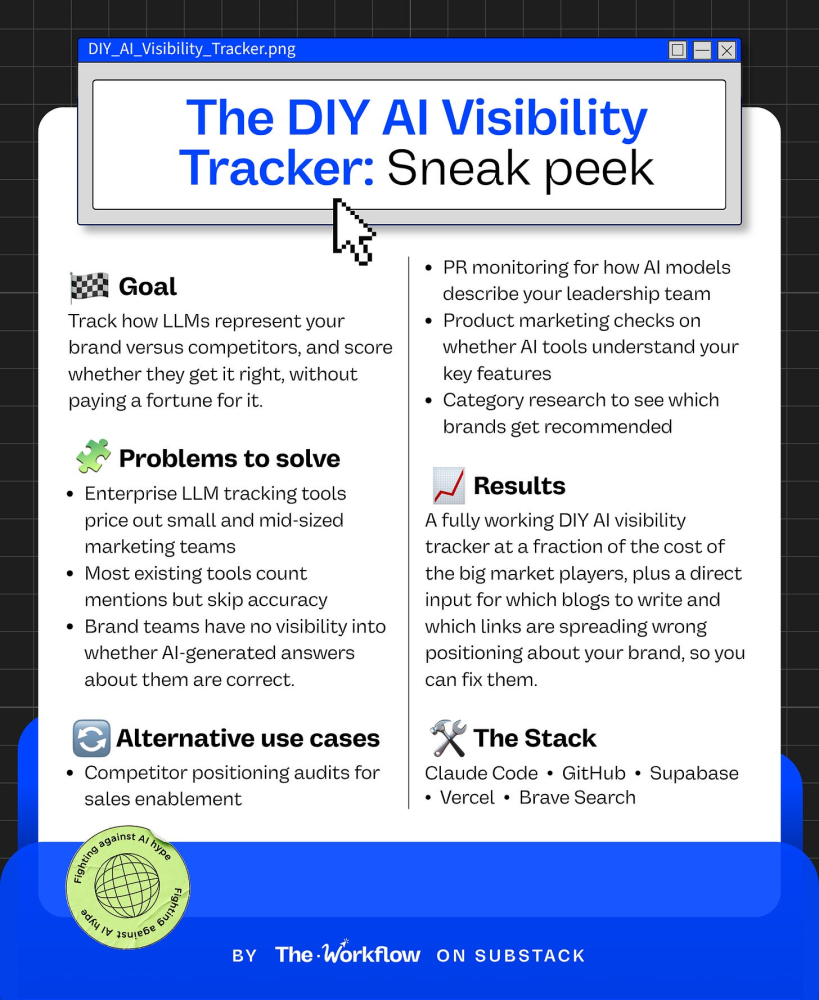
How to build The Workflow
This section walks you through the exact build, step by step, even if you have never opened a terminal or Claude Code in your entire life. Marketers (like you?) reading this are not engineers, and they don’t need to become one, but thanks to AI, they can get surprisingly close.
Step 1: Get the code.
Head to the GitHub repo where I parked it. GitHub is just a place where code lives so anyone can copy it. Click the green “Code” button, then “Download ZIP” for the simplest path, no terminal commands needed. Unzip it on your desktop, or anywhere you can open it in the terminal, VS Code, Cursor, or whatever coding tool you use.
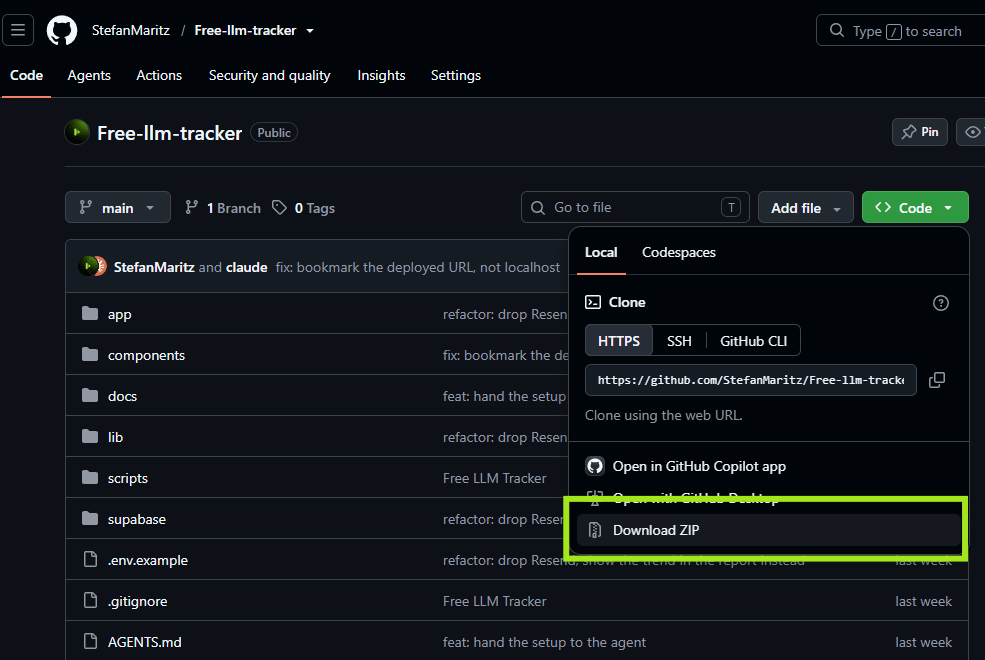
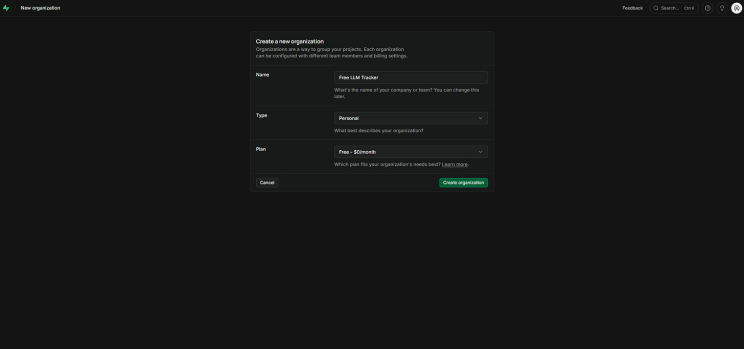
Step 2: Create a free Supabase account.
Supabase is a database that lives in the cloud, meaning it stores all your tracker’s data (every prompt, every AI response, every score) without you needing to run your own server. Sign up for free at supabase.com, create a new project, and give it a name you’ll recognize, like “Free LLM tracker.”
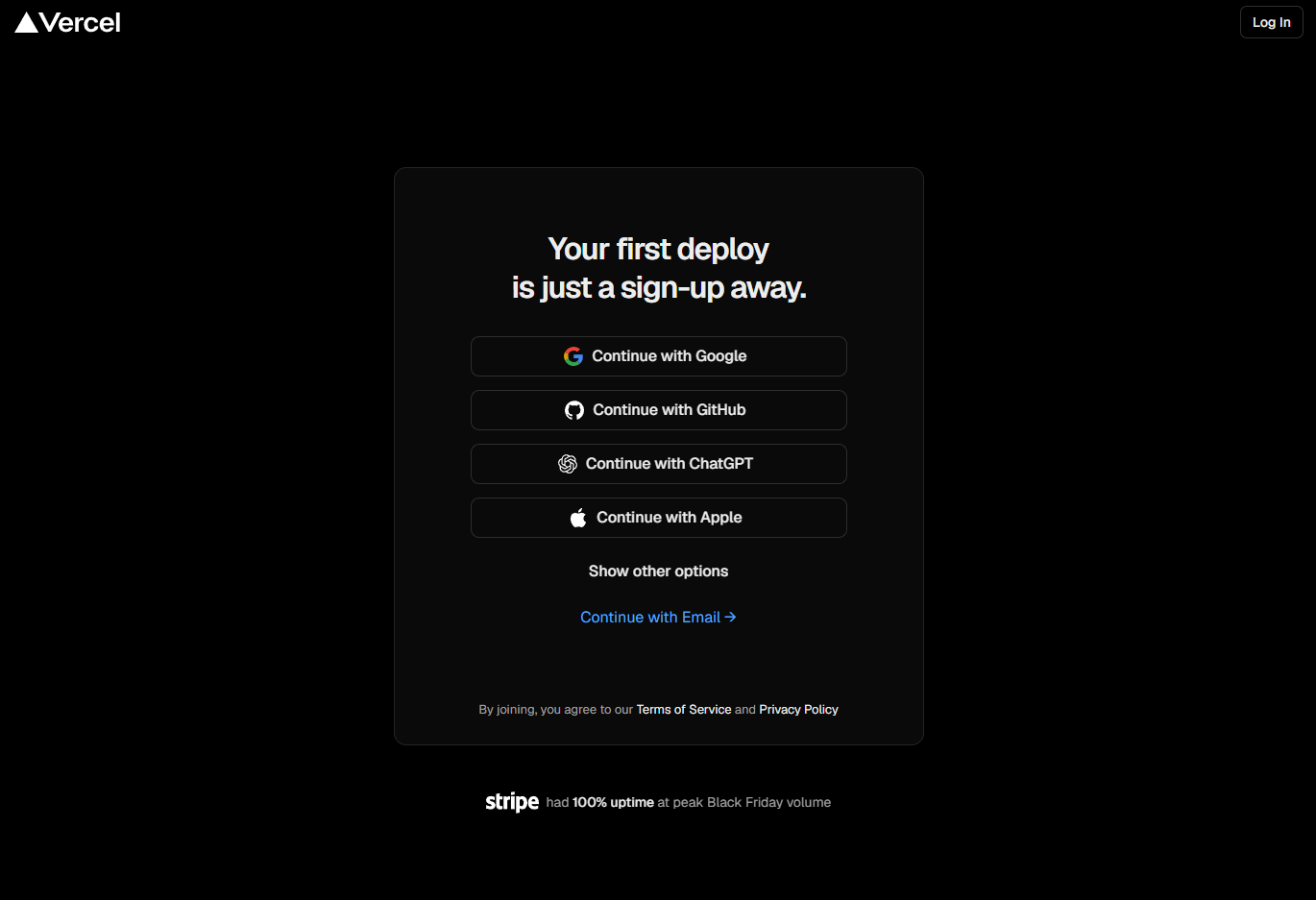
Step 3: Create a free Vercel account.
Vercel is the infrastructure your tracker runs on, and where the dashboard will live on the web. Think of it as the hosting service for your app. Sign up for free at vercel.com using your GitHub login, it’s the fastest path.
Notice the pattern? A lot of this stuff is completely free!
Step 4: Open the folder.
If you’re comfortable with a terminal, skip ahead. If not, here’s the plain version: on a Mac, open Spotlight (Command + Space), type “Terminal,” and hit Enter. On Windows, search “Command Prompt” or “PowerShell” in your start menu. A terminal is just a text-based way to tell your computer what to do, instead of clicking icons. Type cd followed by a space and the folder path (you can drag the folder into the terminal window to paste its path automatically), then hit Enter to move into that folder.
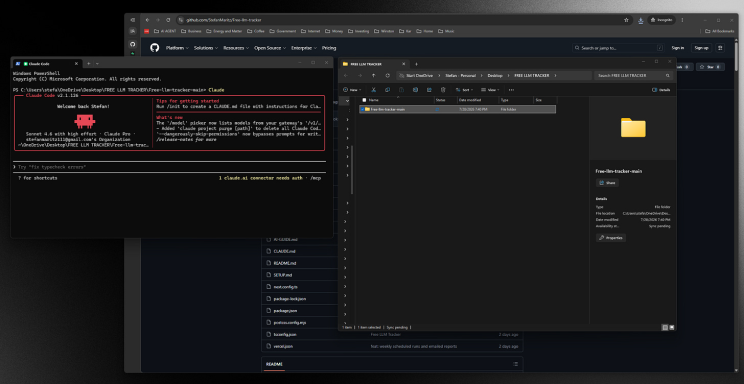
Alternatively, and this is what I’d recommend, open the folder directly inside Claude Code, Anthropic’s coding assistant. Claude Code can open a project folder and work inside it without you touching a terminal command yourself.
Step 5: Run one prompt.
Once you’re in Claude Code with the folder open, type exactly this: “Digest the folder contents and build the entire setup.” Claude Code reads through the repo, understands what it has to do, and walks you through installing everything it needs.
Can you imagine that anyone could do this now, without a developer? Isn’t it crazy?
Clone my GitHub repo and build your own AI visibility tracker.
Step 6: Gather your four API keys.
An API key here is just a password that lets one piece of software talk to another securely.
You need four:
From Supabase: go to Project Settings, then API keys. You’ll find the Project URL, the Anon key, and the Service Role key. Copy all three somewhere safe.
From Vercel AI Gateway: this is Vercel’s system for routing requests to different AI models (ChatGPT, Claude, Gemini, whichever you want to track) through one billing account, so you don’t need separate accounts with OpenAI, Anthropic, and Google individually.
Grab your Gateway API key from your Vercel dashboard.
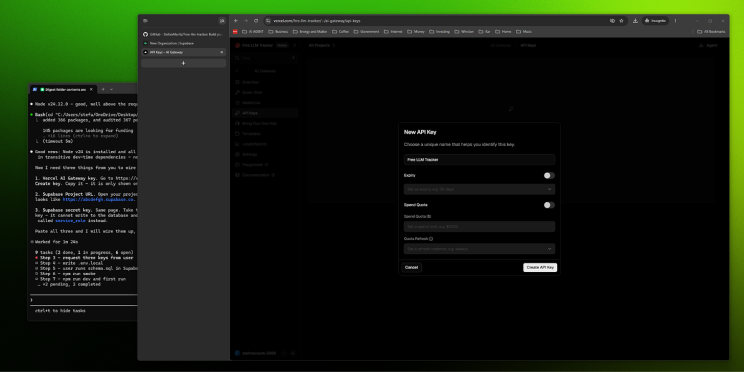
Ask Claude where and how to load your keys. There’s a file called .env that stores your private credentials so the code can use them without you pasting them everywhere.
Never share your API keys with anyone, and keep them in a secure place. If they leak, anyone holding the key gets access to your setup and can use it at your expense.
Step 7: Set up your database.
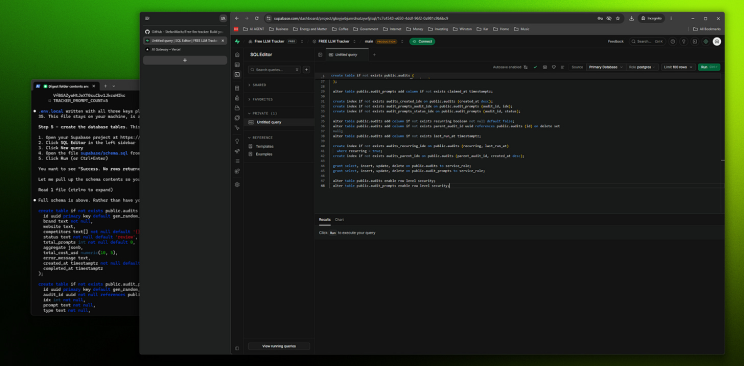
Claude Code will generate a block of SQL (a language databases understand) that creates the tables your tracker needs to run, covering prompts, responses, and scores. Copy that SQL, go to your Supabase project, open the SQL editor in the left sidebar, paste the code in, and click run. Congratulations, your database now has structure.
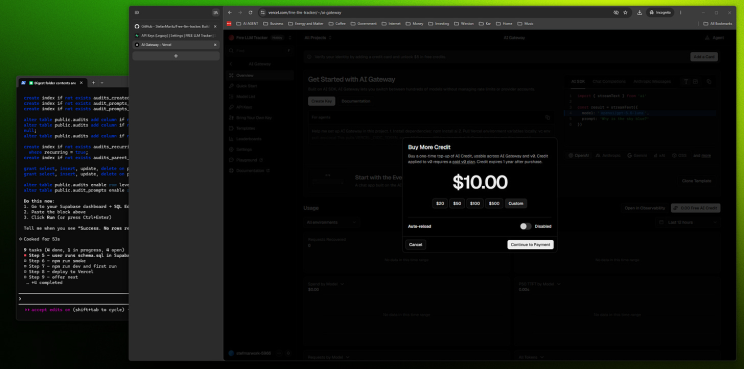
Step 8: Load some credits into the AI Gateway.
$10 doesn’t sound like a lot, but it’s plenty to start with. Enough for about four full runs at five prompts each. This pays for the API calls to ChatGPT, Claude, Gemini, or whichever models you choose to track. It’s an ongoing cost: every prompt you run against every model is a small charge.
Step 9: Test on localhost.
"Localhost" just means running the tool on your own computer, privately, before it's live anywhere. Tell Claude you want to test it locally, and it will set that up for you. It will open in your browser, usually at http://localhost:3000/.
Add your brand domain and a couple of competitors, then add two to three prompts to test the system. Once you confirm, your AI visibility dashboard will populate.
Step 10: Generate your prompt set.
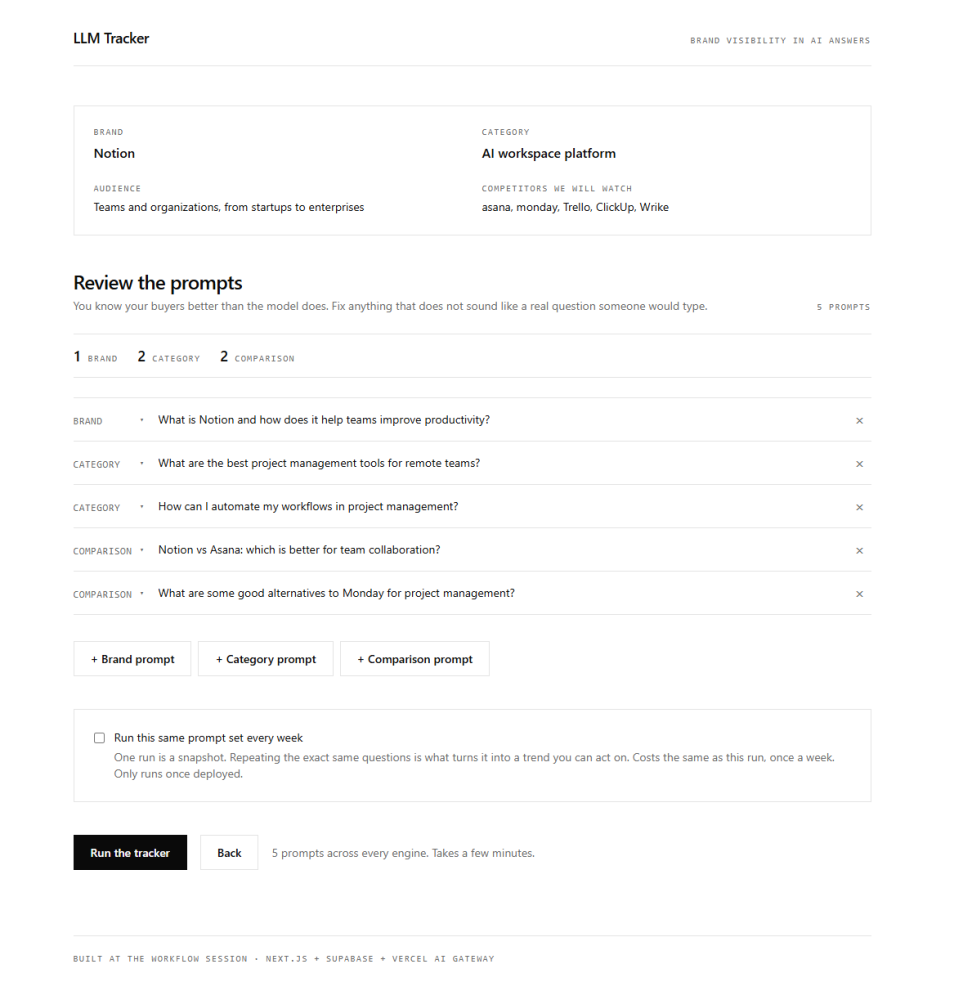
The tracker starts with five default prompts so you can see how the machine works first. For real use, I’d recommend around 50, split roughly across a few types: direct questions about your brand, questions about your category, and head-to-head comparisons against competitors. Don’t auto-accept whatever the tool suggests. Use your brain and be strategic. Read each one and decide if it’s a question your actual buyer would ask an AI model. Never skip this step!
Step 11: Run the AI visibility tracker.
Once your prompt set is locked, run it. The system will send every prompt to every model you’ve configured, store the raw responses in Supabase, and score them.
Here’s my GitHub repo to build your AI visibility tracker
Step 12: Interpret the data on the dashboard.
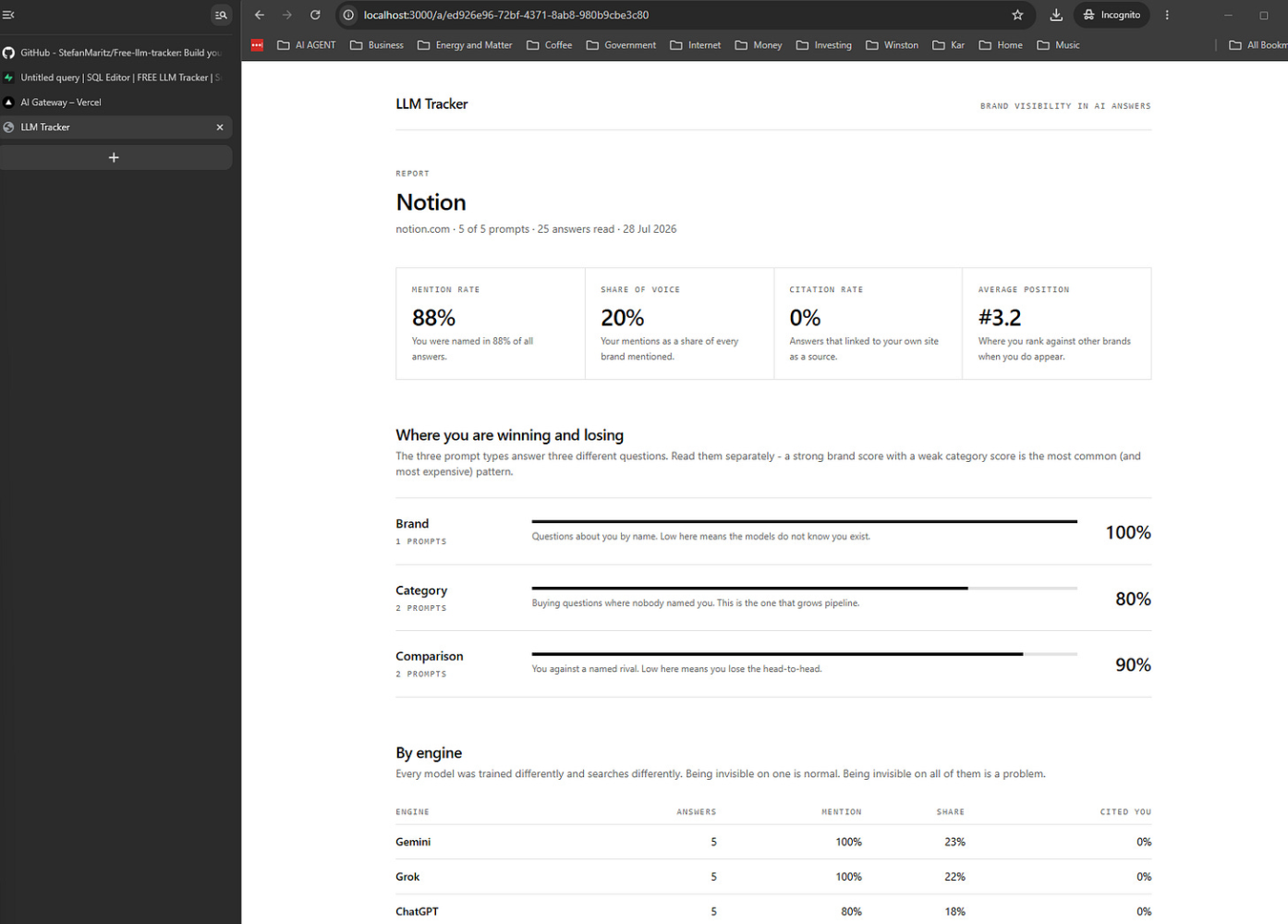
Four indicators matter here.
- Mention rate: how often you show up at all.
- Citation rate: how often the model links to or references your site or content as a source.
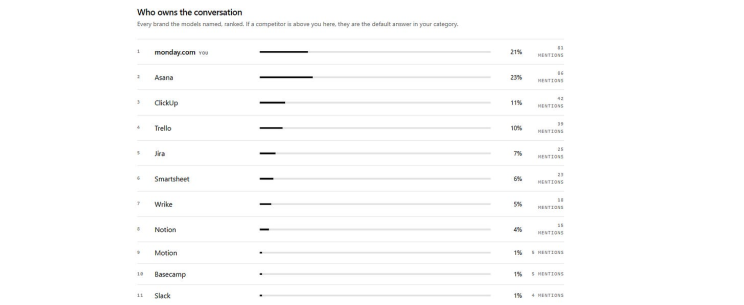
- Share of voice: your mention volume relative to competitors in the same prompt set.
- Average position: where you land when a model lists multiple brands in an answer, first mentioned versus buried at the bottom.
Mention rate alone tells you very little. The other three tell you whether you’re winning or just present.
If you want a more advanced setup, you can link it to a knowledge base, or give Claude your value proposition and ask it to add brand accuracy as an additional indicator.
This lets you track how AI is talking about your brand against how you want it to talk about your brand. From here you can build whatever you want: give Claude your logo, your brand colours, and your design kit, and ask it to match that, then watch it take shape.
Building with AI is truly addictive; once you’re done with something, you’re already thinking about what to build next.
Step 13 (Optional): Publish it and run it on a schedule.
Connect your GitHub repo to Vercel, a few clicks in the Vercel dashboard, and it will live on a URL. You can even link it to a subdomain of your choice.
From there, you can set up a cron job, a scheduled task that runs automatically, to fire the tracker weekly or monthly without you doing anything. Ask Claude to do that for you, or to guide you through it. This turns the tracker into a real AI monitoring system.
One more tool worth mentioning: Brave Search, which some teams layer in to pull structured content from competitor sites or your own, feeding richer context into the accuracy scoring. Not mandatory to run the base tracker, but useful once you’re past the basics or want to do brand accuracy monitoring. It also comes with a generous free starter package.
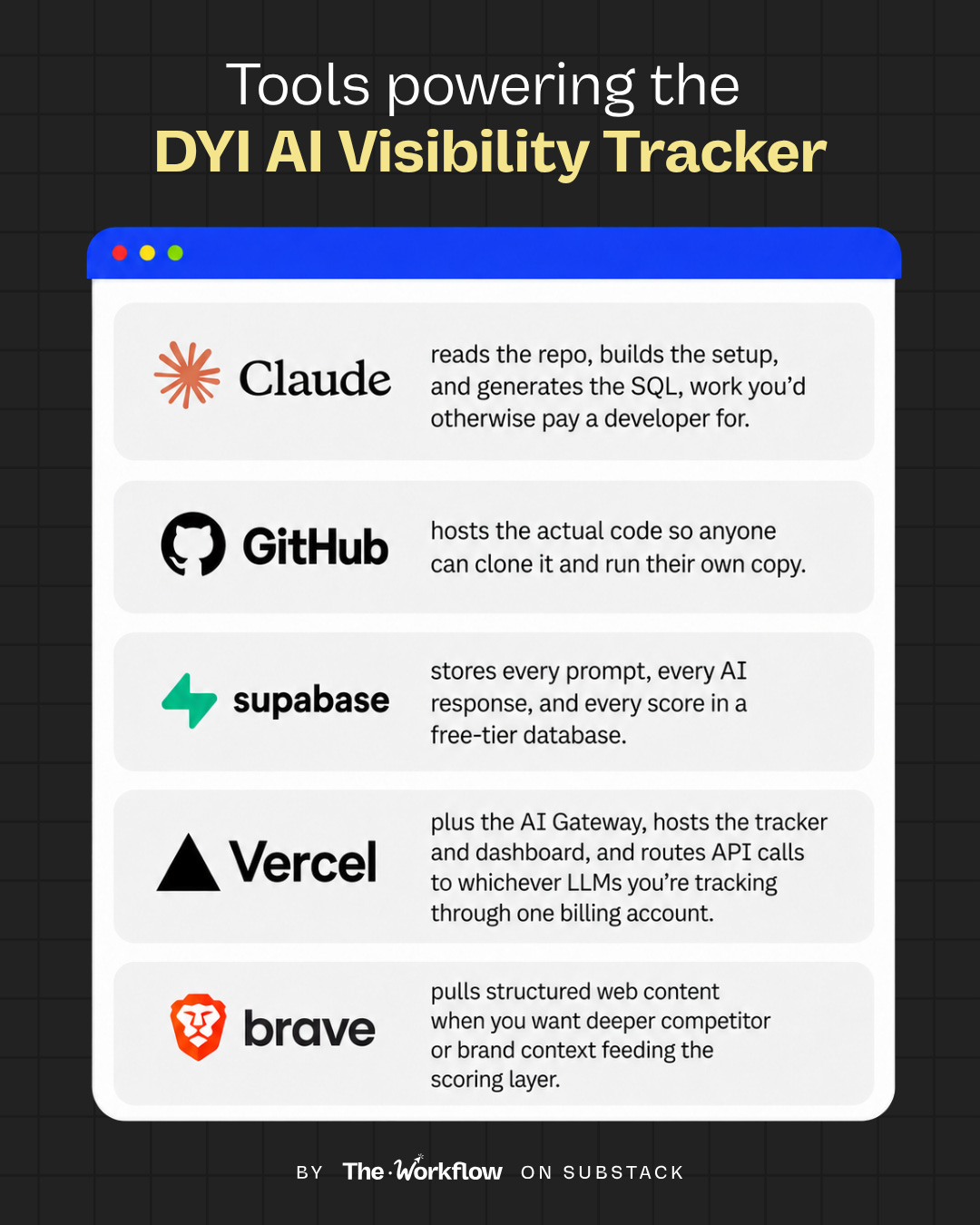
Tools powering The Workflow
Highs, lows & Workflow warnings
What shines
The cost curve is flat
A single run at 50 prompts costs anything between $3 and $5. If you run that monthly, it’s the cheapest AI visibility tool out there on the market. A small team running 50 prompts a week can operate this whole system for a few dollars a month and get real, actionable data on what content to write, which gaps to fill, and finally have something to show the CEO.
Stellar results
Brand accuracy at Backbase moved from 14% to 64% once the team started acting on what the tracker brought to our attention, and organic traffic more than tripled over the same stretch.
What doesn’t shine
There is no such thing as a free lunch
It costs good money, and the cost scales directly with how many prompts you run and how many models you track. Fifty prompts a week across three models is cheap. Five hundred prompts a week across six models gets expensive.
The accuracy-scoring layer, the part that tells you whether an AI got your brand right, is more advanced and requires some vibe-coding skills.
The raw mention-and-citation data is relatively easy to set up, but turning that into a trustworthy accuracy score a brand team can act on without second-guessing it is the hard part.
Maintenance is a pain
Models get deprecated without much warning, and the tracker keeps running against dead ones until you go back into Claude and ask it to swap them out. It’s a reminder that this system depends on external model providers who change things on their own schedule, and don’t care much about yours.
Workflow warning
Ownership
Someone has to keep money loaded in the Vercel wallet so runs don’t stop, and someone has to open the dashboard and tell the team what they need to act on. If nobody checks it, you end up believing your AI visibility takes care of itself, which is worse than not tracking anything at all.
The Goldflow…
You can now build almost anything if you can get your hands on an API. This LLM tracker is just one basic but powerful use case. I was only able to build it because I understand how APIs work, and because I had one specific brand problem on my plate.
AI is a new vehicle to solve problems we could never solve on our own before. That’s why I’m so bullish on it!
That’s it for now. Thanks for reading. Connect with me on LinkedIn if you need help!
Cheers, Stefan
Check out some previous additions of The Workflow?
Catch up on past issues you might have missed in the terrible sea of AI slop
The Headcount Audit to back your AI investment decisions
The Content Skill Stack Workflow to fill your weekly calendar
The Claude Video Editing Workflow to 3x YouTube growth
This issue was built using a workflow on Contengi - turning a transcript of a call between Sara and me into the draft, which was then edited to give you this article.
More newsletter
Issue 3: Hydrogen, Business Hub, and a change log for November
Hydrogen in AI Mode, Business Hub counts, Meta's Muse agent, a change log for your November numbers, Exa from the stack, and a free publication template.
Newsletter · 3 min
Issue 2: your AI visibility score meets a placebo test
One site's AI click share, Brave's index in court, Cloudflare's crawl hints, a placebo test for your AI visibility score, the ai-seo skill, and a free knitwear template.
Newsletter · 3 min
Issue 1: the week chat ads met their spreadsheet
Chat ads meet real conversion data, the first loop worth handing to an agent, a copywriting skill with 247,000 installs, and a free fintech template.
Newsletter · 2 min